What Makes a Website Easy to Update Without Breaking Everything: A Comprehensive Guide
Keeping a website up-to-date without causing a digital catastrophe is something many folks worry about. You know, you want to add new stuff or tweak existing content, but the thought of accidentally breaking the whole thing is pretty daunting. It’s like trying to fix your car’s engine when you’re not a mechanic – you might end up with more problems than you started with. This guide is all about making that process less scary and more straightforward. We’ll look at how to keep your site fresh, secure, and running smoothly, so you don’t have to be a tech wizard to make changes.
Key Takeaways
- Regularly updating content keeps your website relevant to visitors and search engines, which helps with traffic and trust.
- Software and plugin updates are super important for keeping your site safe from hackers and running well.
- A good Content Management System (CMS) and a modular design make it easier to change things without messing up the layout.
- Automating tasks and having a set schedule for updates saves time and makes sure nothing gets missed.
- Checking for broken links, making backups, and doing security checks are basic but vital steps for a healthy website.
Ensuring Content Freshness and Relevance
Keeping your website content current isn't just about looking good; it's a big part of why people keep coming back and why search engines like what they see. Think of it like a local shop – if the shelves are always stocked with new items and everything looks tidy, you're more likely to visit than if it looks dusty and forgotten. A website that feels alive and up-to-date builds trust and keeps visitors engaged.
The Importance of Regularly Updating Website Content
Why bother with constant updates? Well, for starters, information changes. Products get new features, industry news breaks, and even your own business might shift its focus. If your website doesn't reflect these changes, visitors might get confused or, worse, think you're out of touch. This can lead to them clicking away to a competitor who is keeping up. Plus, search engines notice when content is stale. They prefer to show users the most accurate and helpful information, so regularly refreshed content often gets a boost in search rankings. It’s a win-win: your audience gets accurate info, and you get more eyes on your site.
Identifying Content Gaps and Optimization Opportunities
So, how do you know what to update? It's not just about randomly changing words. A smart approach involves looking at your website's performance. Are there pages that used to get a lot of traffic but are now slumping? That's a sign they need a refresh. Maybe a competitor is writing about a topic you haven't covered yet – that's a content gap you can fill. Or perhaps a page is almost there, but just needs a few keyword tweaks or a new statistic to make it shine.
Here are a few ways to spot these opportunities:
- Check your analytics: Look for pages with declining visitor numbers or high bounce rates.
- Review search engine results pages (SERPs): See what kind of content ranks for your target keywords and if you can do better.
- Listen to your audience: Are customers asking questions your website doesn't answer?
- Monitor industry news: Stay on top of trends and developments relevant to your field.
Regularly reviewing your website's performance data is key. It's like having a map that shows you where people are going and where they're getting lost, helping you decide where to focus your update efforts.
Balancing Content Updates with Design Aesthetics
Updating content isn't just about text. Visuals matter too! Adding new images, updating graphics, or even embedding a relevant video can make a page much more appealing. Think about it: a block of text can be dry, but a well-placed infographic or a short explainer video can really grab attention and make complex information easier to digest. However, you don't want to go overboard. Adding too many large images or videos can slow down your site, which is a big no-no for user experience and search engines. The goal is to make your content look good and load fast, striking a balance between visual appeal and technical performance. It's about making the whole package look professional and inviting.
Maintaining Website Security and Performance
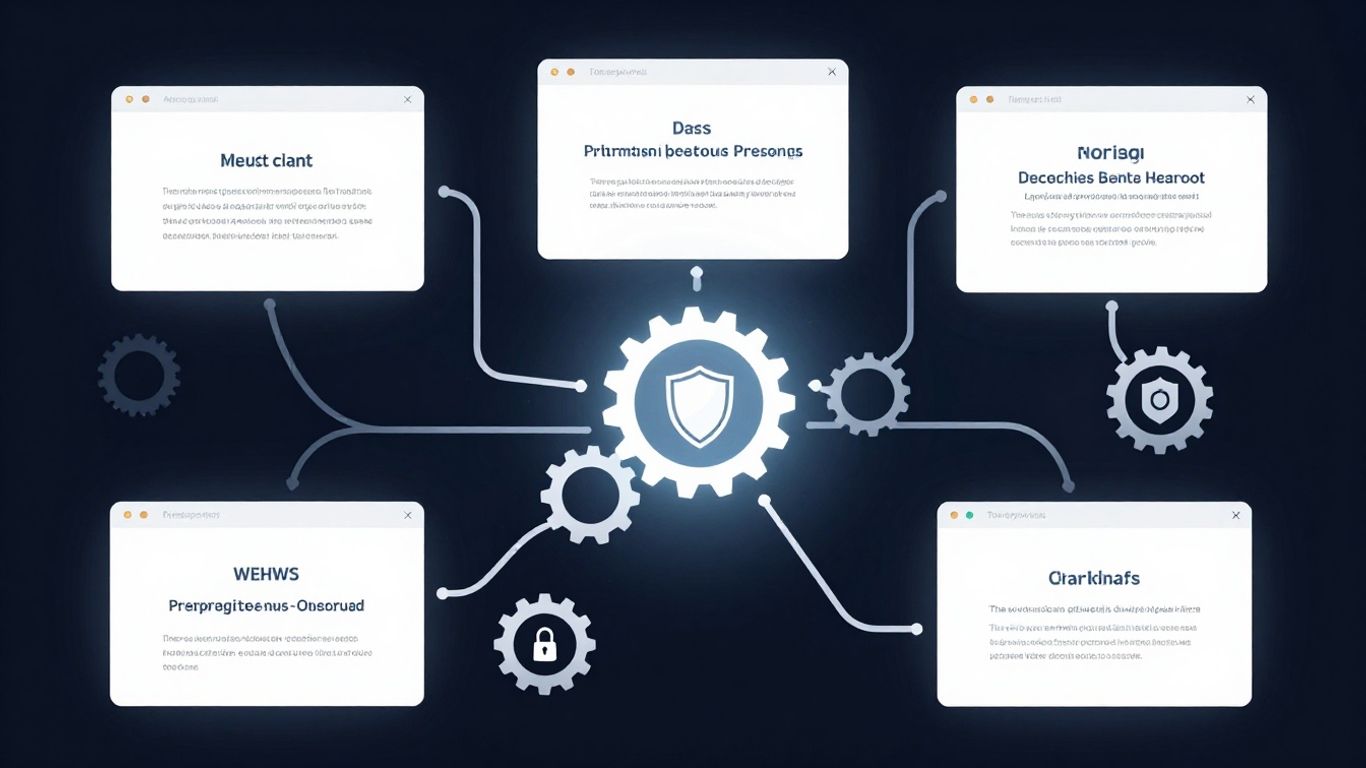
Keeping your website safe and running fast isn't just about looking good; it's a big part of making sure people can actually use it and find it. Think of it like owning a car – you wouldn't just drive it for years without any check-ups, right? Your website needs that same attention.
The Role of Software and Plugin Updates in Security
Software and plugins are like the building blocks of your website. When the creators of these blocks release updates, they're often fixing security holes that hackers could use. It's a bit like when your phone gets an update that patches a vulnerability. Ignoring these updates leaves your site open to attacks. Hackers actively look for sites running old software because it's an easy target. It's not just about the big stuff, either; even small plugins can have security flaws that, if exploited, could cause major problems.
- Install updates promptly: Don't wait for a problem to occur. New updates often fix issues before they're widely known.
- Review plugin usage: Too many plugins, or poorly coded ones, can slow down your site and introduce security risks.
- Check for compatibility: Ensure new updates work well with your existing site setup.
Optimizing Site Speed for User Experience and SEO
Nobody likes waiting for a page to load. If your site is slow, people will leave, and Google notices. This hurts your search rankings and means fewer visitors. Slow sites can be caused by many things, from large image files to outdated code or too many complex features.
A sluggish website doesn't just frustrate visitors; it actively harms your online presence. Search engines prioritize sites that offer a good experience, and speed is a major part of that. If your pages take too long to appear, users will click away, signaling to search engines that your site isn't a top choice.
Here are a few common culprits for slow sites:
- Unoptimized images (too large)
- Too many plugins or poorly coded plugins
- Outdated themes or core software
- Inefficient database queries
- Lack of caching
Proactive Measures Against Security Threats
Security isn't just about fixing things after they break; it's about preventing breakages in the first place. Regular checks and good habits can stop many threats before they even start. This includes keeping an eye on your site's activity and having a plan if something does go wrong.
- Regularly scan for malware: Use security tools to check for any malicious code.
- Implement strong passwords: Use unique, complex passwords for all your accounts.
- Monitor site activity: Keep an eye on login attempts and file changes.
- Have a backup plan: Make sure you can restore your site if it's compromised.
Technical Foundations for Easy Updates
So, you want to keep your website looking sharp and running smoothly without pulling your hair out every time something needs a tweak? It all starts with the groundwork. Think of it like building a house; if the foundation is shaky, adding a new room or repainting the walls becomes a real headache. The same applies to your website. Getting the technical side right from the beginning makes all the difference.
Choosing a Content Management System for Simplicity
This is probably the biggest decision you'll make. You need a system that lets you or your team add, edit, and remove content without needing to be a coding wizard. WordPress is a popular choice for a reason – it's pretty user-friendly. But there are others out there, like Joomla or Drupal, which might suit different needs. The key is to pick one where the interface isn't confusing and where you can easily find what you need to change. A good CMS should feel intuitive, not like you're trying to decipher ancient hieroglyphs.
Implementing a Modular Design Approach
Imagine your website is built with LEGO bricks instead of being carved from a single block of stone. That's kind of what modular design is about. Instead of having one giant, interconnected piece of code, your website is broken down into smaller, reusable components or 'modules'. Think of things like a header, a footer, a sidebar, or even specific content blocks like a "call to action" box. This makes it way easier to update or replace one part without affecting the rest. Need to change the color of your footer across the whole site? With a modular approach, you change it once in the footer module, and boom, it's done everywhere. It also helps keep things organized.
Leveraging Version Control for Safety
This one might sound a bit techy, but it's super important, especially if you have multiple people working on the site or if you're making big changes. Version control, like Git, is basically a system that tracks every single change made to your website's files. It keeps a history. So, if you update something and it breaks the site (oops!), you can easily roll back to a previous, working version. It's like having an "undo" button for your entire website. This safety net means you can experiment and make updates with a lot more confidence, knowing you won't permanently mess things up.
Having a solid technical setup means that when you need to update content, fix a bug, or even add a new feature, the process is straightforward. It prevents those moments where a simple text change leads to a site-wide meltdown. It's about building a website that's adaptable and easy to manage long-term, saving you time and stress down the road.
Streamlining the Update Process
Keeping your website humming along doesn't have to be a chore. When you've got a good system in place, updating content and making tweaks becomes way less of a headache. It's all about working smarter, not harder, so you can keep your site fresh without pulling your hair out.
Automating Repetitive Update Tasks
Let's face it, some tasks are just plain boring and take up way too much time. Think about things like checking for broken links across dozens of pages or updating metadata. These are the kinds of jobs that are perfect for automation. Tools exist that can scan your site and flag issues, or even make simple updates automatically. This frees you up to focus on the more creative stuff, like writing new content or planning your next campaign. Automating these routine checks means fewer errors slip through the cracks. It's like having a little digital assistant that handles the grunt work, letting you concentrate on what really matters for your website's performance.
Establishing a Content Maintenance Schedule
Just like you wouldn't skip your car's oil change, your website needs a regular tune-up. Setting up a content maintenance schedule is key. This doesn't mean you have to update every single page every month. Instead, look at your site analytics. Are certain pages losing traffic? Are there industry changes you need to reflect? Your schedule should be flexible but consistent. Maybe you aim to review your top 10 pages quarterly, or perhaps you tackle a specific section of your site each month. A structured approach prevents content from becoming stale and ensures you're always presenting the most current information.
Here’s a simple way to think about your schedule:
- Monthly: Quick check for broken links, review analytics for any sudden drops in traffic.
- Quarterly: Deep dive into top-performing pages, update any statistics or outdated information.
- Annually: Review older content for relevance, consider refreshing visuals or adding new sections.
Utilizing Analytics for Data-Driven Updates
Guessing what needs updating is a recipe for wasted effort. Your website's analytics are a goldmine of information. Tools like Google Analytics can tell you which pages are popular, which ones are being ignored, and where visitors are dropping off. Use this data to guide your update strategy. If a page that used to get a lot of traffic is now seeing a decline, it's a clear sign it needs attention. Maybe the content is outdated, or perhaps a competitor has better information. By looking at the numbers, you can make smart decisions about where to invest your time and resources, ensuring your updates actually make a difference for your landing page design.
Relying on data means you're not just updating for the sake of it. You're making targeted improvements that have a real impact on user engagement and search engine visibility. It's about being strategic and efficient with your time.
User Experience and Search Engine Benefits
Keeping your website fresh and working right isn't just about looking good; it actually helps people find you and stick around. When your site is easy to use and has up-to-date information, both visitors and search engines notice.
Enhancing User Engagement Through Updated Content
Think about it: nobody likes landing on a page that feels old or has information that's clearly out of date. A website that's regularly updated with new articles, fresh statistics, or even just revised product details shows visitors that you're active and care about providing current information. This keeps them engaged and makes them more likely to explore further. It's like walking into a store that's always clean and stocked with new items versus one that looks forgotten.
- Add new blog posts or articles.
- Update existing content with current trends or data.
- Refresh product descriptions or service details.
- Incorporate new visuals or multimedia elements.
A website that feels current and provides relevant information encourages visitors to spend more time on the site. This positive interaction signals to search engines that your site is a good resource, which can lead to better visibility.
Improving Search Engine Rankings with Freshness
Search engines, especially Google, really like websites that are kept up-to-date. They see fresh content as a sign that the site is active and relevant. This can directly impact your search engine optimization (SEO) efforts. When your site ranks higher, more people will find you organically. It's a cycle: good content leads to better rankings, which leads to more visitors, who might then engage with your new content.
- Regularly update older posts to keep them relevant.
- Add new pages that fill gaps in your content compared to competitors.
- Check for and fix broken links regularly.
Keeping your site running fast is also a big part of this. Slow websites frustrate users and can hurt your search engine perception. Making sure your site loads quickly is a key factor in keeping visitors happy and improving your search performance.
The Impact of Mobile Responsiveness on Updates
Today, most people browse the web on their phones. If your website doesn't look and work well on a small screen, you're missing out. Mobile responsiveness means your site automatically adjusts its layout to fit any screen size, from a large desktop monitor to a small smartphone. This is no longer a nice-to-have; it's a must-have. When your site is mobile-friendly, users have a better experience, no matter how they're accessing it. This positive experience contributes to lower bounce rates and more time spent on your site, both of which are good for your search engine rankings. Making sure your updates are also mobile-friendly is just as important as the content itself.
Essential Website Maintenance Practices
Okay, so you've built a pretty sweet website. It looks good, it works well, and you're feeling pretty proud. But here's the thing: a website isn't a 'set it and forget it' kind of deal. It needs regular TLC to keep it running smoothly and safely. Think of it like owning a car; you wouldn't just drive it forever without oil changes or tire rotations, right? Your website needs that same kind of attention.
Regularly Scanning for Broken Links
Broken links are like little dead ends on your site. They pop up when a page you're linking to has moved or been deleted. When a visitor hits one, they get a frustrating 404 error page, and that's a quick way to make them bounce. Plus, search engines don't love seeing a bunch of broken links; it makes your site look neglected. You can use tools to crawl your site and find these offenders. It's a good idea to do this at least once a month. Fixing them is usually pretty straightforward – just update the link to the correct URL or remove it if the content is gone.
Implementing a Robust Backup Strategy
This is the big one, folks. You absolutely need a reliable backup system in place. Stuff happens. A bad update, a security breach, a server issue – any of these can take your site down, and sometimes, it's not recoverable without a backup. You should be backing up your entire website, including all its files and the database, regularly. How often depends on how often your content changes, but daily or weekly is a good starting point for most sites. Make sure these backups are stored somewhere safe, ideally off your main server, so if the worst happens, you have a clean copy to restore from. This is your digital safety net.
Conducting Security Check-ups
Keeping your website secure is an ongoing battle. Hackers are always looking for weaknesses, and outdated software or plugins are prime targets. Regular security check-ups involve a few key things:
- Software Updates: Always keep your content management system (like WordPress), themes, and plugins updated to their latest versions. Developers release updates to fix bugs and patch security holes.
- Security Scans: Use security plugins or services to scan your site for malware and suspicious activity. These can often catch problems before they become major issues.
- Password Strength: Ensure all administrative accounts have strong, unique passwords. Don't reuse passwords across different services.
- User Permissions: Review who has access to your website's backend and ensure their permissions are appropriate. Less access means less risk.
A proactive approach to security means you're less likely to face a crisis down the line. It's about prevention, not just reaction. Think about how you maintain your home's security; the same principles apply online.
Staying on top of these maintenance tasks might seem like a chore, but it's way better than dealing with a broken, insecure, or poorly performing website. It helps keep your users happy and your search engine rankings solid, which is pretty important for any online presence. It's all part of building a sustainable online presence that prioritizes user experience and ethical SEO practices.
Keeping your website in good shape is super important! Think of it like taking care of a car – regular check-ups keep it running smoothly. This means making sure everything is up-to-date, secure, and working right so visitors have a great experience. Want to make sure your site is always top-notch? Check out our expert services to keep your online presence strong and visible!
Wrapping It Up
So, keeping your website humming along without breaking things isn't some dark art. It's really about being a bit organized and doing the regular check-ups. Think of it like owning a car – you wouldn't just drive it until it falls apart, right? You get the oil changed, check the tires, and fix little things before they become big problems. Your website is the same. By staying on top of updates, fixing broken links, and keeping an eye on how fast it loads, you're not just making it look good. You're making sure visitors have a good time, search engines like you more, and you avoid those stressful moments when something just stops working. It takes a little effort, sure, but it pays off big time in the long run.
Frequently Asked Questions
Why is it important to keep my website updated?
Keeping your website updated is like giving your online home a fresh coat of paint and making sure all the lights are working. It makes sure your information is correct and useful for visitors. Plus, search engines like Google like websites that are fresh and new, so it can help more people find you.
What's a CMS and why is it good for updates?
A CMS, or Content Management System, is like a special tool that makes it easy to add, change, or remove content on your website without needing to be a computer expert. Think of it like using a word processor to write a document instead of messing with complicated code.
How often should I update my website content?
It's not a one-size-fits-all answer! A good rule of thumb is to update when something in your business or industry changes. Also, keep an eye on your website's stats to see which pages might be getting old or not getting many visitors. Some people update quarterly, others when needed.
What are 'broken links' and why should I care?
Broken links are like dead ends on your website – they lead nowhere. When visitors click on them, they get frustrated. Fixing these links is super important because it makes your website easier to use and shows search engines that you care about quality.
How do website updates help with security?
Think of software updates like getting a security guard for your website. Hackers are always looking for weak spots. When you update your website's software and tools, you're patching up those holes and making it much harder for bad guys to get in and cause trouble.
What does 'mobile responsiveness' mean for my website?
Mobile responsiveness means your website looks and works great on all devices – phones, tablets, and computers. Since so many people use their phones to browse the internet, making sure your site is easy to use on a small screen is a must for keeping visitors happy and helping Google rank you higher.


Comments
Post a Comment